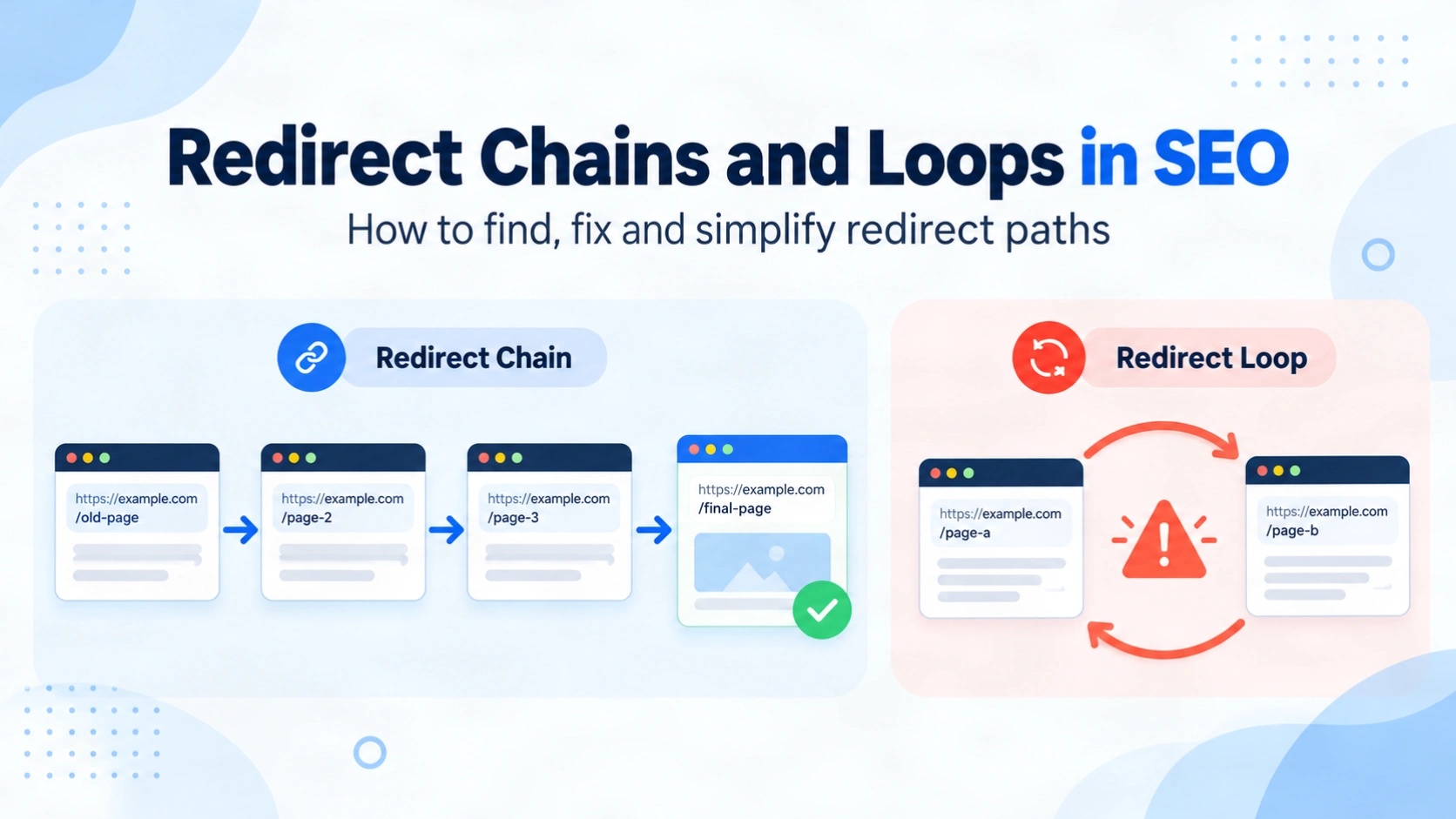
You change a page’s URL and add a redirect. A year later the site moves to HTTPS, then the team drops the www prefix. Each change made sense on its own. Together, they can send one old link through three or four hops before anything loads. That is how most redirect chains and loops in SEO begin. A redirect chain is a series of redirects that eventually reaches a working page. A redirect loop never reaches one, because the rules keep sending the request back to a URL it has already visited. Chains add delay for visitors and crawlers. Loops stop the page loading entirely. This guide explains how each problem forms, what Google actually documents about them, how to find them and how to fix them at the source. It also shows how to confirm the fix worked.
Quick summary
- A chain resolves after several hops. A loop never resolves and breaks the page.
- Googlebot follows up to 10 redirect hops, but Google advises redirecting straight to the final URL.
- Fix chains by pointing every old URL directly at the final destination, then update internal links.
- Fix loops by choosing one canonical URL pattern and enforcing it in one place.
What is a redirect chain?
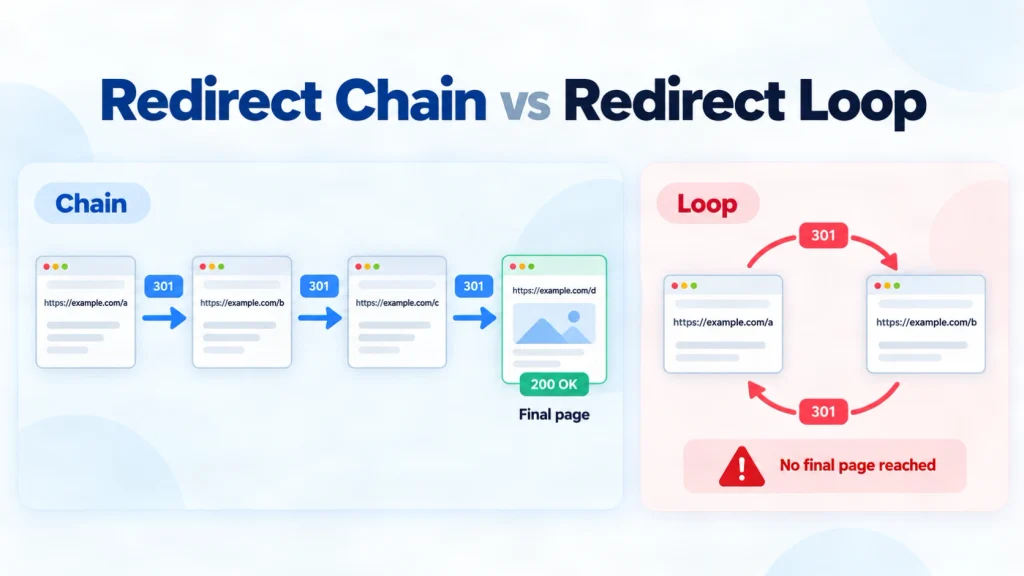
A redirect chain happens when a requested URL passes through two or more redirects before reaching a page that returns a 200 status. Each step is called a hop. One hop is normal. Every extra hop adds another request before the visitor sees anything.
A typical chain looks like this:
http://example.com/servicesredirects tohttps://example.com/services- That URL redirects to
https://www.example.com/services - That URL redirects to
https://www.example.com/services/
Protocol, hostname and trailing slash rules were added separately, often in different systems.
What is a redirect loop?
A redirect loop happens when redirect rules send a request back to a URL it has already visited, so no final page is ever reached. The simplest loop is URL A redirecting to URL B, which redirects back to URL A. Chrome eventually stops and shows ERR_TOO_MANY_REDIRECTS.
Loops usually come from two layers enforcing opposite rules, such as a CDN forcing www while the origin forces the bare domain. MDN notes that a loop can be spread across several servers that each lack the full picture, which is why it is often hard to trace.
| Redirect chain | Redirect loop | |
|---|---|---|
| Reaches a page? | Yes, after extra hops | Never |
| Visitor experience | Slower load | Error page |
| Google outcome | Usually processed, unless it is too long | Redirect error, URL not indexed |
| Usual cause | Rules stacked over time | Two rules contradicting each other |
| Fix | Point sources at the final URL | Remove the conflicting rule |
How redirect chains and loops affect SEO
Google says Googlebot follows up to 10 redirect hops, and reports a redirect error if it receives no content within that limit. Its site move guidance goes further. It advises redirecting to the final destination directly, or keeping chains ideally to three hops or fewer, because chains add latency and some user agents do not support long ones.
Two common claims need care. Google states that 301 and other permanent redirects do not cause a loss in PageRank, so percentage-per-hop equity figures should not drive your priorities. Crawl budget is also a real but narrow concern. Google’s crawl budget guide lists long redirect chains as wasteful, yet it is written mainly for very large or rapidly changing sites.
The stronger reasons to fix chains are speed, reliability and clean signals. A 302 hiding inside a permanent chain also sends a mixed canonical signal. A loop is more serious. If Googlebot cannot reach the content, that URL cannot be indexed, which is a crawlability problem rather than a ranking one.
How to find redirect chains and loops
Start with one URL, then scale up.
- Trace a single URL. Run
curl -sIL http://example.com/old-pagein a terminal. The curl documentation explains that-Ifetches headers and-Lfollows redirects, so every status code appears in order. - Check in the browser. Open DevTools, select the Network tab, enable Preserve log and load the URL. Each hop appears as its own row.
- Crawl the site. Screaming Frog’s redirect audit in list mode follows each uploaded URL to its final destination. Its All Redirects report shows the number of hops, whether a loop exists and whether a temporary redirect sits in the chain.
- Review Search Console. Look for the Redirect error reason in the Page indexing report, then inspect affected URLs.
Include old URLs from sitemaps, analytics and backlink exports, not just current links.
How to fix a redirect chain
The goal is one hop from every old URL to the correct final page.
- Map each hop and its owner. Record whether each rule lives in the CDN, server configuration, CMS plugin or application code.
- Confirm the destination deserves the traffic. It should return 200, be indexable and be a relevant replacement. Google warns that sending many old URLs to one irrelevant page, such as the home page, may be treated as a soft 404. If no relevant replacement exists, a 404 or 410 is often the honest answer.
- Point every source at the final URL. A chain of A to B to C becomes A to C and B to C. Keep the rule for B, because external links may still use it.
- Consolidate normalisation. Handle protocol, hostname and trailing slash in one rule within one layer.
- Update your own references. Change internal links so they point at the final URL. Then update canonical tags, hreflang annotations and your XML sitemap to match.
A worked example
This scenario is illustrative. A services page responds like this before the fix:
http://example.com/services        301
https://example.com/services       301
https://www.example.com/services   301
https://www.example.com/services/  200
After consolidating the rules, every variant returns one 301 to https://www.example.com/services/, which returns 200. That is the acceptance test to give a developer.
How to fix a redirect loop
A loop is a conflict, so the fix is choosing a winner.
- Identify the two alternating URLs from the curl output or DevTools.
- Find each rule’s location. Common pairs include a CDN and origin both enforcing HTTPS, or a CMS address setting that disagrees with the server’s hostname rule.
- Check forwarded protocol headers. If a proxy terminates HTTPS but the origin does not receive the original protocol, the origin may keep redirecting to HTTPS.
- Choose one canonical pattern and one owner. Remove or rewrite every rule that contradicts it.
- Retest cleanly. Browsers cache permanent redirects, so test with curl or a private window.
How to verify the fix and prevent new chains
Recrawl the same URL list. Every source should show one hop and a final 200. Then start validation for the Redirect error issue in Search Console.
To prevent new chains, check whether a target already redirects before adding a rule, and include redirect checks in every migration and technical SEO audit.
Frequently asked questions
-
What is a redirect chain?
A sequence of two or more redirects between a requested URL and the page that finally loads. It works, but adds delay and maintenance risk.
-
What does a 307 or 308 redirect mean?
A 307 is temporary and a 308 is permanent. Both keep the original request method, which matters for form submissions. Google treats 308 like 301.
-
What is a 301 or 302 redirect?
A 301 signals a permanent move, so Google tends to show the new URL. A 302 signals a temporary move, so the original URL usually stays in results.
-
What is a redirect used for?
Sending visitors and crawlers from an old or alternative URL to the current one after a page moves, merges or changes domain.
-
How many redirects will Googlebot follow?
Up to 10 hops before Search Console reports a redirect error. Google still recommends redirecting directly to the final page.
-
Do redirect chains lose PageRank?
Google says permanent redirects do not lose PageRank. Fix chains for speed, reliability and consistent signals instead.
-
Should I delete the old redirects after fixing a chain?
No. Repoint them at the final URL and keep them, because bookmarks and external links may still use them.
Fix redirect chains and loops at the source
Redirect chains and loops build up as rules are added in different layers without anyone checking the full path. The reliable fix is the same each time. Trace every hop, decide the correct final URL, point every source there in one hop and update your own links to match.
Start with your highest-traffic old URLs and any Redirect error in Search Console. If you want the full path traced across your CDN, server and CMS, a free technical SEO audit from CraftDigitally gives you each affected URL, the rule causing it and the fix your developer can apply.
See this on your own site, for free.
The audit runs this exact check against your live pages.

Written by
Kartik SharmaKartik works across keyword research, on-page SEO, content optimisation and technical improvements. He focuses on strengthening website relevance, improving search visibility and supporting consistent organic growth.
