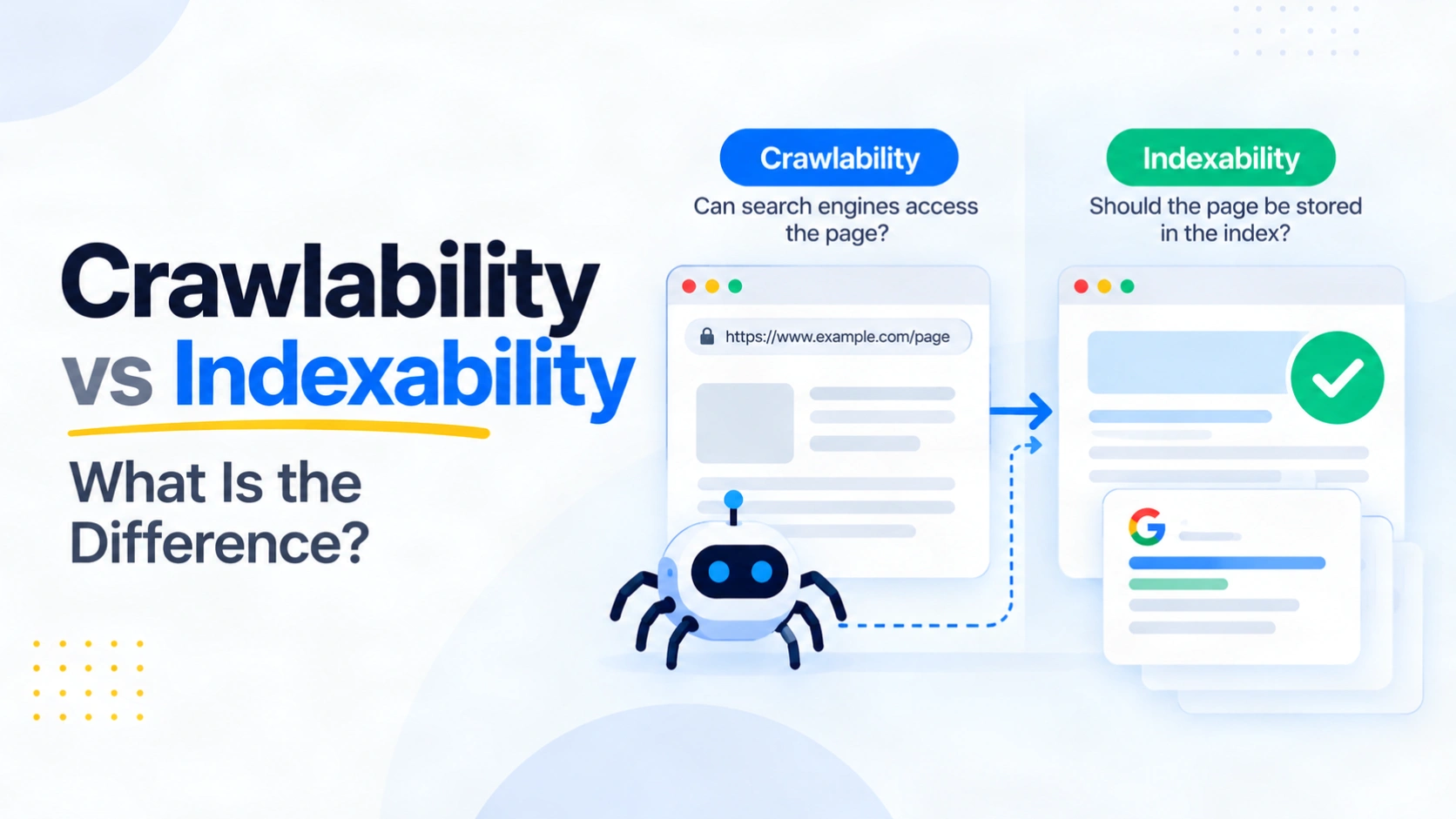
A service page can load perfectly in your browser, appear in your sitemap and still be missing from Google. To find the reason, ask two questions. Can Googlebot reach and read the page? Can Google include the processed page in its index? This is the practical difference between crawlability vs indexability.
Crawlability concerns access to a URL and its content. Indexability concerns whether that content is eligible to be stored and potentially shown in results. A page can pass the first check and fail the second. This distinction changes the fix. Editing robots.txt will not remove an accidental noindex header, while requesting indexing will not repair a blocked page. The steps below show how to locate the failed stage and verify the result.
Quick Summary
- Crawlability asks whether a search crawler can retrieve a page.
- Indexability asks whether a processed page is eligible for the search index.
- A crawled page can remain excluded because of noindex, canonical selection or Google’s indexing decision.
- Search Console’s indexed result and live test answer different questions.
What Does Crawlability Mean?
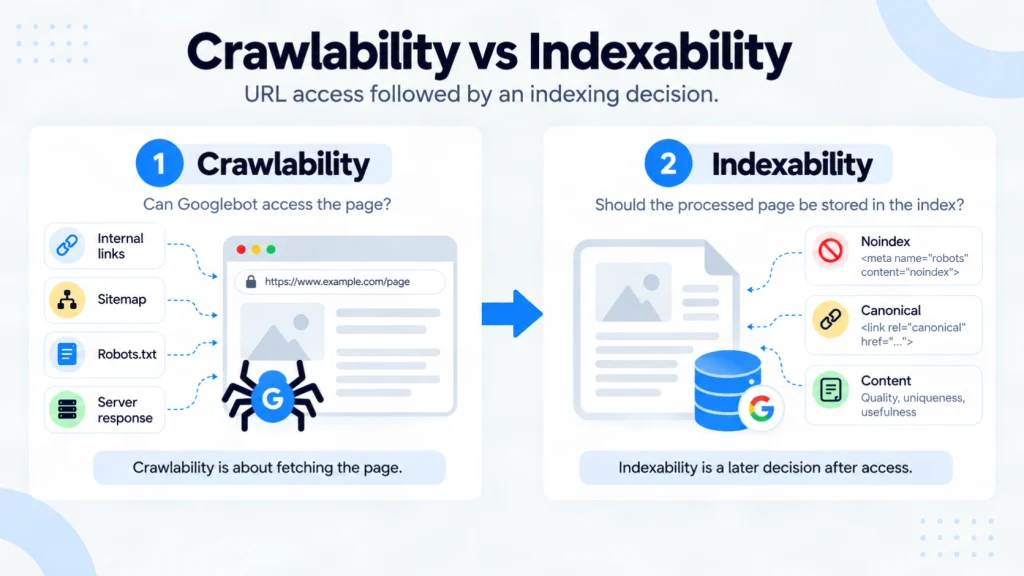
Crawlability is a crawler’s ability to access a URL and retrieve its content. Google first has to discover the URL, perhaps through an internal link or sitemap. Discovery does not prove that Googlebot fetched the page.
During crawling, Googlebot requests the URL and processes the server response. A robots.txt rule, login requirement or failed response can stop it accessing useful content. Google describes discovery and fetching in its guide to how Search works.
Internal links help Google find pages, provided the links are crawlable. Google’s link best practices for Search explain why standard links with an href attribute matter. For the wider process, see CraftDigitally’s technical SEO foundations guide.
What Does Indexability Mean?
Indexability is a page’s eligibility to be analysed and included in a search index after Google can access it. Actual indexing is Google’s outcome, and eligibility alone does not guarantee inclusion.
A page intended for Google Search should return a successful response, expose indexable content and avoid an unwanted noindex directive. Google documents those minimum technical requirements for Search. A noindex instruction can appear in the page’s HTML or an X-Robots-Tag response header.
Google also chooses a representative URL when it finds substantially similar pages. Your declared canonical is a preference, and Google can select another URL. Its canonicalisation guidance for duplicate pages explains that choice.
Crawlability vs Indexability at a Glance
| Check | Crawlability | Indexability |
|---|---|---|
| Main question | Can Googlebot fetch and read this page? | Can Google store this page, and has it selected this URL? |
| Common controls | Robots.txt, access restrictions, server response | Noindex, canonical signals, usable content |
| Search Console evidence | Crawl allowed and Page fetch | Indexing allowed, Google-selected canonical and index status |
| Misleading shortcut | A URL in a sitemap must have been crawled | A successful live test means the URL is indexed |
A sitemap can help Google discover a URL, but it cannot guarantee crawling or indexing. Google’s sitemap guidance for site owners makes that limit explicit.
Which Stage Is Failing?
Start with the status of the specific URL. Google’s Page Indexing report explanations distinguish the stages:
- Discovered – currently not indexed: Google knows the URL but has not crawled it yet. Check discovery paths, access and whether the URL matters before diagnosing its content.
- Crawled – currently not indexed: Google fetched the page but has not indexed it. Review the page and its signals. The status alone does not prove that content quality is the cause.
- Excluded by noindex: Google encountered an indexing instruction. Confirm whether the exclusion was intentional and inspect both HTML and response headers.
- Alternate page with proper canonical tag: Another URL represents the content. This may be the intended outcome for a duplicate.
There is one important exception to a simple two-step story. A URL blocked by robots.txt can sometimes appear in Google results because another page links to it. Google may know the URL without crawling its content. The Google robots.txt guide explains why a crawl block is not a reliable removal method.
How to Check and Verify One URL
Choose a page that should attract relevant search visits. Record the exact URL and the result you expect, then follow this sequence:
- Inspect Google’s recorded state. Enter the full URL in Search Console’s URL Inspection tool. Read its index status, last crawl information and Google-selected canonical where available.
- Test the current page. Run Test live URL. Check Crawl allowed, Page fetch and Indexing allowed. Google’s URL Inspection documentation explains what each result measures.
- Check the live response. Confirm the intended HTTP status, robots.txt permission, meta robots instruction and X-Robots-Tag header. If JavaScript supplies essential content, inspect the rendered version too.
- Match the evidence to the goal. Remove an accidental noindex only from pages intended for Search. Fix an unintended robots block or server failure at its source. Review canonical signals when Google selects another URL.
- Retest and monitor. Verify the changed response and repeat the live test. Then monitor Google’s indexed result after it recrawls the page.
A live result saying a URL can be indexed shows present eligibility, not inclusion in Google’s index. Our technical SEO audit checklist places these checks before broader performance and enhancement work.
A Worked Example
Illustrative scenario: A service page returns HTTP 200 and appears normal in a browser. Search Console says Google crawled it but excluded it because of noindex. The live response contains X-Robots-Tag: noindex, added by a shared page template.
The page is crawlable because Google can fetch it. It is not indexable while that instruction applies. The developer should remove the header from the service template if those pages are meant to appear in Search. After deployment, check the response again, run a live URL test and monitor the indexed result after Google’s next crawl.
A thank-you page using the same header may need to remain excluded. Google’s noindex implementation guidance also explains that Google must be able to crawl a URL to read its noindex instruction.
When Is Exclusion Expected?
An excluded URL is not automatically a defect. A thank-you page may intentionally use noindex. A filtered duplicate may correctly point to a canonical page. An old URL may redirect to a replacement.
Decide which URL should appear in Search before changing a directive. Prioritise exclusions that affect important service, product or editorial pages. CraftDigitally’s robots.txt generator and checker can help review access rules, while Search Console shows Google’s indexing outcome.
Frequently Asked Questions
-
What is the difference between crawling and indexing?
Crawling is Googlebot fetching a page. Indexing is Google analysing it and deciding whether to store it. A fetched page can remain excluded.
-
What does “crawlability” mean?
It means a crawler can access and retrieve a URL’s content. Finding the URL through a link or sitemap is a separate step.
-
How can I check if my website is crawlable?
Inspect representative URLs in Search Console. For each, check Crawl allowed and Page fetch in a live test, then review robots.txt and the server response.
-
What is an index in SEO?
An index is a search engine’s database of processed content. Inclusion makes a page eligible to appear for relevant searches.
-
Can a page be crawled but not indexed?
Yes. A readable noindex directive, canonical selection or Google’s decision can keep a crawled page out of its index.
-
Can a blocked URL still appear in Google?
Sometimes. Google can list a robots.txt-blocked URL based on other links without reading its content. Use noindex with crawl access when exclusion is the goal.
-
Does submitting a sitemap guarantee indexing?
No. A sitemap helps Google discover URLs. It does not guarantee that Google will crawl or index every page listed.
Final Thoughts
The useful question is where an important page stops progressing. If Google cannot fetch it, check access, robots.txt and the server response. If Google fetched it but did not index it, inspect noindex, canonical selection and the content Google received. Compare Search Console’s recorded index status with a live test so an old result does not hide a completed fix.
Leave intentional exclusions alone. For a pattern affecting many valuable pages, document the affected template, the response that proves the issue and the expected result after a change. If you want that evidence checked across your site, request a free technical SEO audit from CraftDigitally.
See this on your own site, for free.
The audit runs this exact check against your live pages.

Written by
Pulkit SinghPulkit specialises in SEO strategy, keyword research, on-page optimisation, competitor analysis and link building. He focuses on improving organic visibility, attracting relevant traffic and supporting sustainable search growth.
